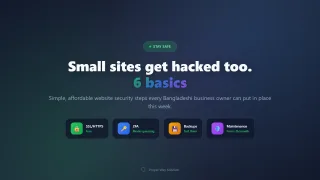
Most business owners in Bangladesh think hackers only bother banks and big companies. The reality is less dramatic and more annoying: automated bots scan every website on the internet constantly, looking for easy targets. An outdated WordPress plugin or a weak admin password is all they need. Your site does not need to be valuable; it just needs to be vulnerable, because hacked sites get used to send spam, host scams, or infect visitors.
The good news: the basics that stop 90 percent of attacks are cheap and boring. Here is what you actually need to know, in plain language.
Why small business websites get hacked
Attackers rarely target you personally. Bots probe millions of sites for the same handful of weaknesses:
- Old software with known holes
- Guessable passwords
- Missing updates on plugins and themes
- No backup, so a hack becomes permanent damage
A hacked website costs you in ways that are easy to underestimate: Google blacklists your domain so customers see “this site may be dangerous,” your hosting suspends the account, your email lands in spam because spammers relayed through your server, and rebuilding trust takes months.
Basic 1: HTTPS with an SSL certificate
If your site still loads as http:// instead of https://, fix this today. The padlock matters for three reasons:
- Browsers label plain HTTP sites “Not secure,” which scares customers away.
- Google ranks HTTPS sites higher.
- Contact forms and logins travel encrypted instead of readable by anyone in between.
SSL certificates are free through Let’s Encrypt, and most Bangladeshi hosts install them with one click. There is no excuse left to skip it.
Basic 2: Strong, separate passwords (and no shared admin logins)
The most common break-in in Bangladesh is not clever. It is someone using a former employee’s old password, or staff sharing one login written in a WhatsApp group.
- Every admin account gets its own login, removed the day someone leaves.
- Passwords should be long and unique; a password manager makes this painless.
- Turn on two-factor authentication (2FA) for WordPress, hosting, domain, and email accounts. A code on your phone blocks almost all password guessing even if a password leaks.
Basic 3: Keep everything updated
Outdated plugins cause most WordPress hacks worldwide. Set a simple routine:
| What | How often | Who |
|---|---|---|
| WordPress / CMS core | Within days of security releases | You or your developer |
| Plugins and themes | Monthly | You or your developer |
| Hosting panel / PHP version | With host’s guidance | Host |
| Computers in your office | Monthly | Whoever manages them |
One warning: update a staging copy first if your site is complex, because a bad plugin update can break things too. If nobody maintains your site at all, a website maintenance plan typically costs 2,000 to 8,000 BDT monthly and covers exactly this.
Basic 4: Backups that actually restore
A backup you have never tested is a hope, not a backup. The standard is called 3-2-1:
- 3 copies of your data
- 2 different types of storage (hosting backup plus cloud)
- 1 copy somewhere else entirely, like Google Drive
Check three things with your developer or host: how often backups run (daily is right for active sites), where they are stored (not only on the same server, or a hacked server takes the backups too), and whether anyone has ever restored from one successfully.
Basic 5: Lock down the forms and logins
Contact forms and admin pages are the doors attackers knock on:
- Add a captcha or honeypot to contact forms so bots cannot flood them.
- Change the default WordPress login URL away from /wp-admin.
- Limit failed login attempts; after five tries, block for an hour.
- Delete unused plugins and themes completely rather than deactivating them.
Basic 6: Watch who hosts you
Cheap hosting is fine until something goes wrong. When comparing hosts, ask:
- Do backups run automatically and how do I download mine?
- Is there malware scanning, and what happens if my site gets infected?
- Do you run current PHP versions?
- How fast is support when the site goes down at night?
A good host blocks a surprising share of attacks before they reach your site. If you are still choosing a host, our domain and hosting cost guide for Bangladesh and [website development cost breakdown](/website-development-cost-in-bangladesh) both cover what to expect from reliable providers.
Warning signs your site may already be compromised
- Sudden drop in traffic or Google Search Console shows security issues
- Strange new pages appearing in search results you never made
- Browser warnings when visitors open your site
- Unfamiliar users in your admin panel
- Your email suddenly bounces or lands in spam everywhere
Any one of these deserves an immediate check by your developer. Speed matters; cleanup gets harder every day you wait.
What proper security costs in Bangladesh
Here is the honest budget for a small business site:
| Item | Cost |
|---|---|
| SSL certificate | Free (Let’s Encrypt) |
| 2FA | Free |
| Backup plugin + cloud storage | 0 to 500 BDT/month |
| Security plugin (Wordfence etc.) | Free tier usually enough |
| Maintenance contract with an agency | 2,000 to 8,000 BDT/month |
Total for DIY basics: nearly nothing. Total with professional maintenance: less than one dinner out per week, protecting a website that probably cost you lakhs to build.
FAQ
My website is tiny, why would anyone hack it?
Bots do not check size or importance. Small sites are preferred targets precisely because owners neglect them.
Is WordPress less secure than custom-coded sites?
WordPress core is well maintained. Insecure plugins and lazy setups cause its bad reputation. A maintained WordPress site is safer than a neglected custom one.
How often should I back up my website?
Daily for sites that change regularly, weekly at minimum for quiet brochure sites. Ecommerce sites need daily backups including the database.
What should I do immediately if my site is hacked?
Restore from a clean backup, change every password, update everything, then scan again. If you cannot do this yourself, get help the same day.
Does HTTPS protect me from hacking?
No, it protects data traveling to visitors. It is necessary but nowhere near sufficient on its own.
Secure the boring things first
You do not need to become a security expert. HTTPS, unique passwords with 2FA, regular updates, tested backups, and locked-down forms will keep your business site safer than the vast majority of sites on the internet today.
Proper Way Solution offers website security audits and maintenance for Bangladeshi businesses.
Contact Proper Way Solution to check whether your website passes the basics.


Leave a Comment